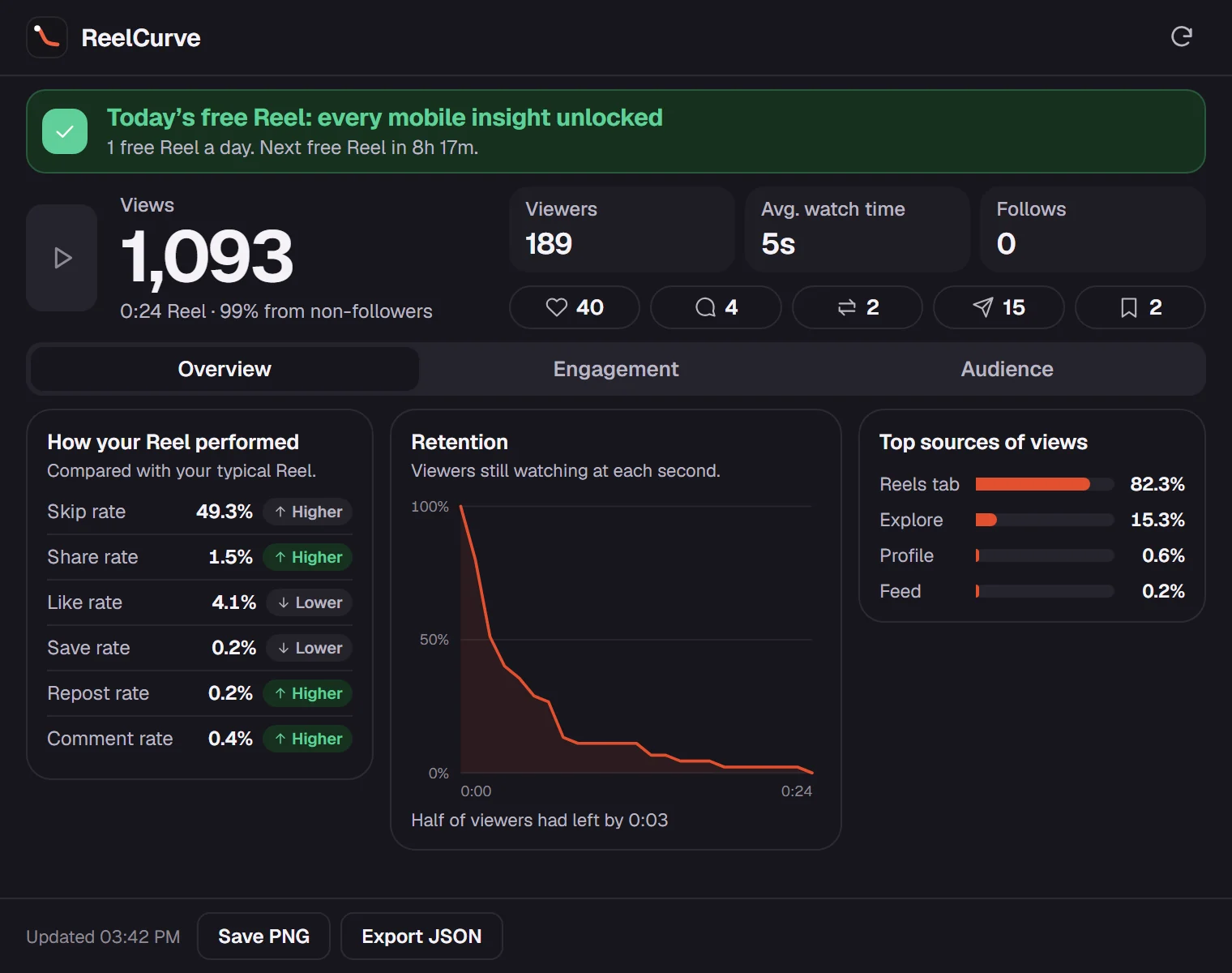
The retention curve
See the exact second viewers swipe away. Hover any point to read how many were still watching, and compare your skip rate with your typical Reel.
Retention by the second, when people liked, and who is watching used to be phone-only. instagram.com shows just the basics. ReelCurve puts the full mobile insights in a clean Chrome panel, using the Instagram login you already have.
What’s inside
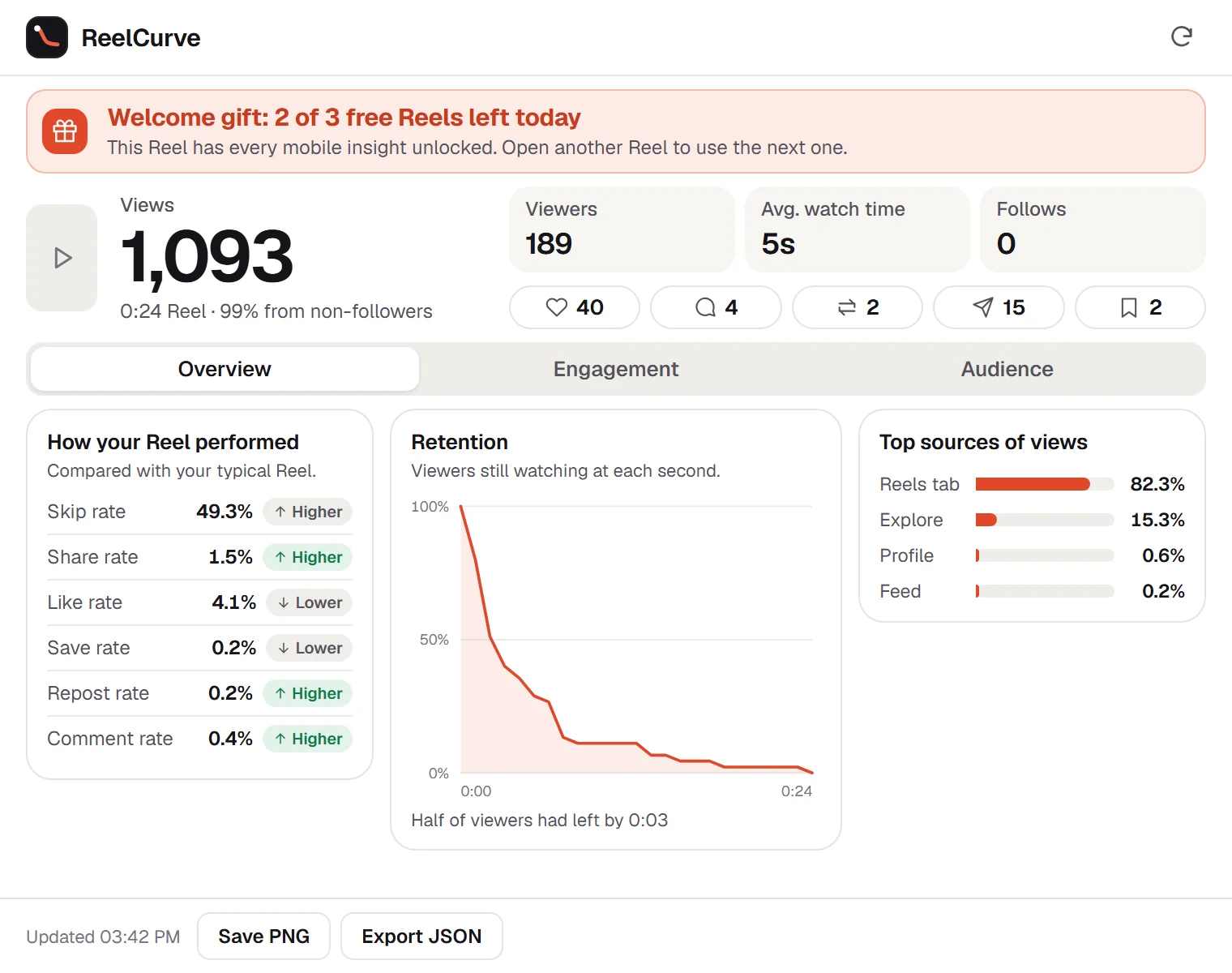
Review Reels where you edit them. ReelCurve lays out the numbers Instagram reports for each Reel so you can compare, screenshot and export without passing your phone around.
See the exact second viewers swipe away. Hover any point to read how many were still watching, and compare your skip rate with your typical Reel.
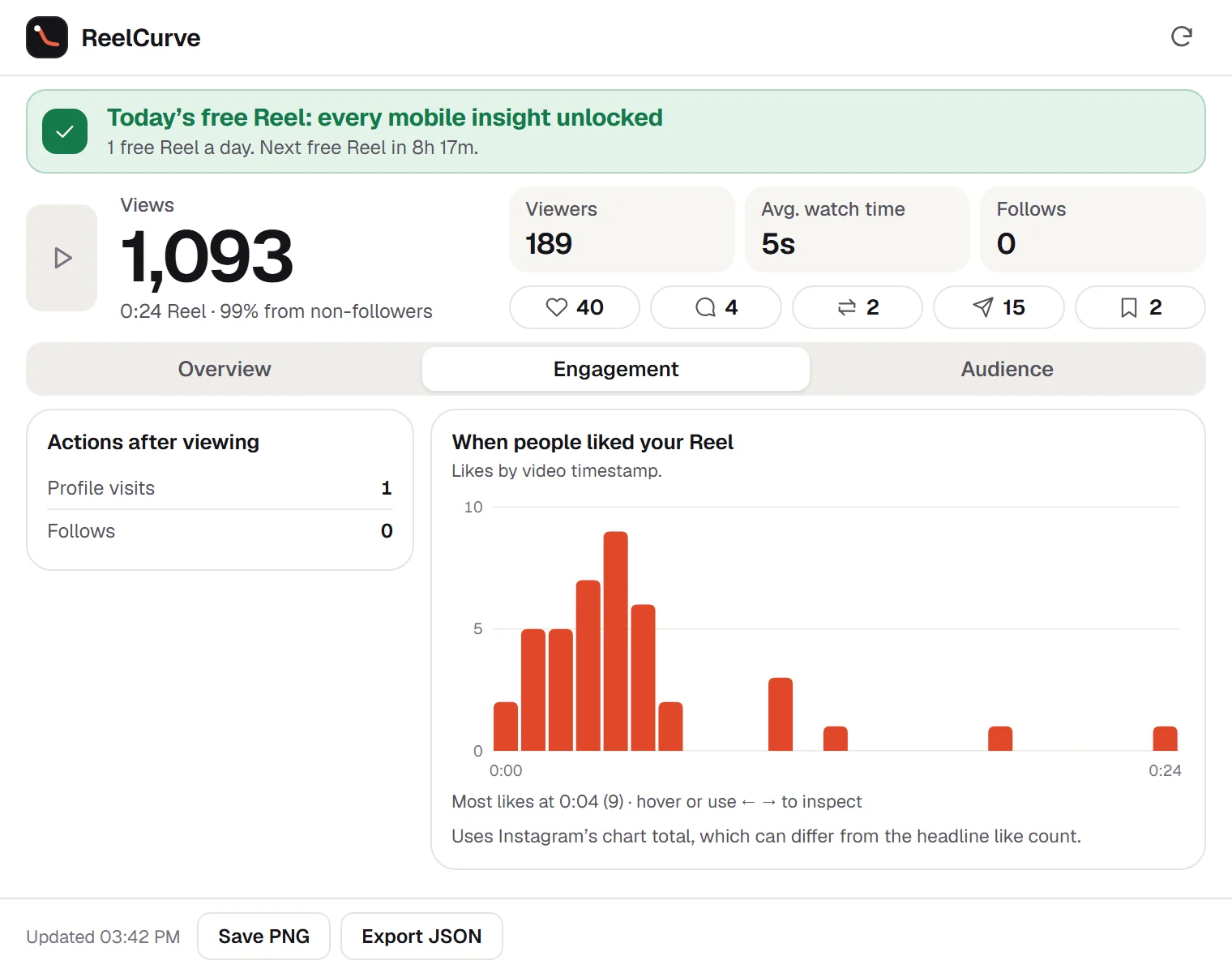
Likes by video timestamp show which moment actually landed.
Skip, share, like, save, repost and comment rates, each marked higher or lower than your typical Reel.
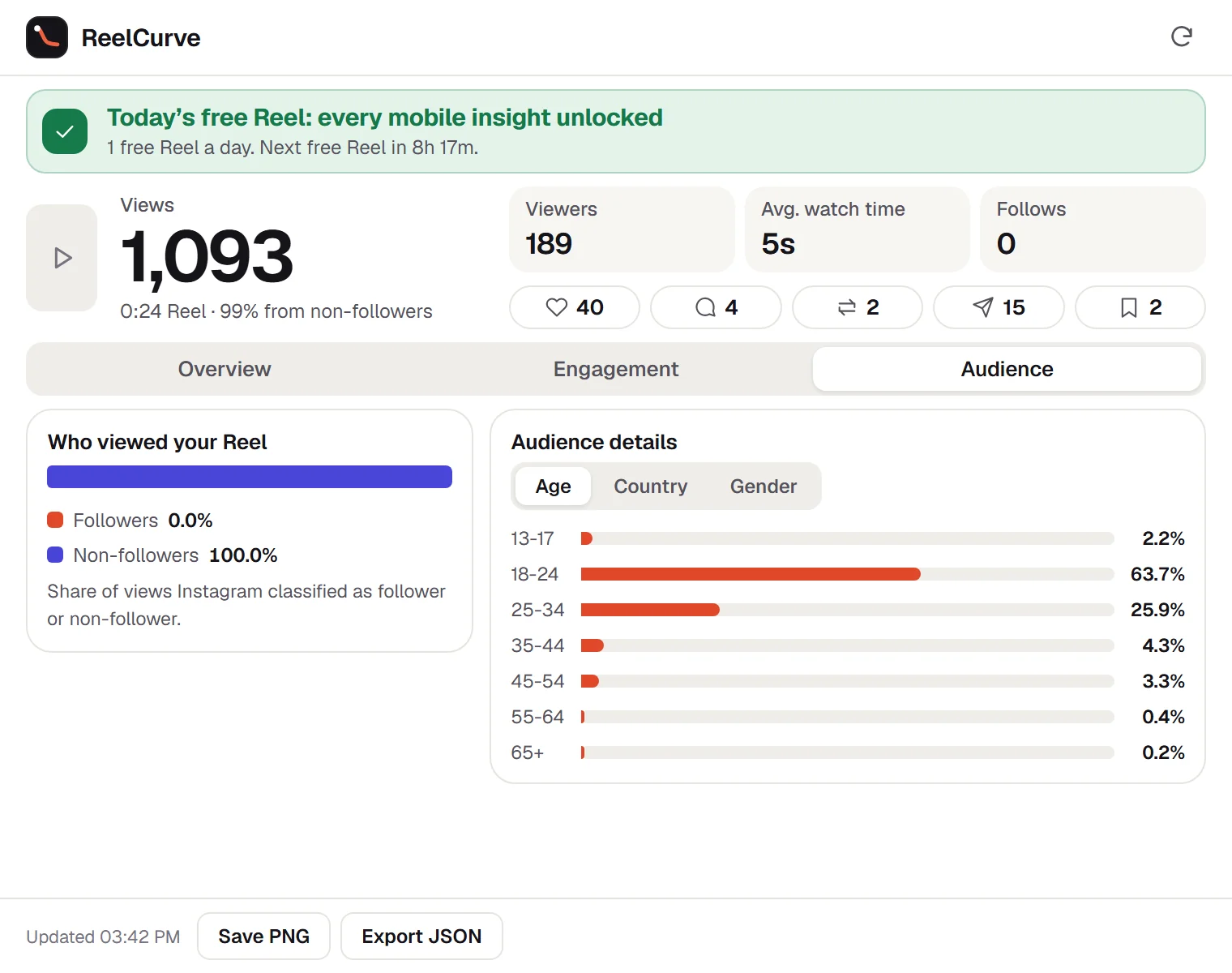
Age, country and gender, plus how many views came from followers versus new people.
Reels tab, Explore, your profile or the feed — see which surface is carrying the Reel.
Save a sharp PNG for a client or collaborator, or export JSON for your own spreadsheet.
Three views
How it works
Install the extension. There is no ReelCurve account to create.
Go to instagram.com in Chrome, signed in to the account that posted the Reel.
Your insights load in about a second, right from Instagram to your browser.
Built to stay quiet
ReelCurve asks Instagram for your Reel’s insights the way your browser already does — once per Reel you open. It never posts, edits, follows or likes, and it has no permission to read your cookies.
Pricing
Desktop metrics are free on every Reel. Every mobile insight is free on 3 Reels on your first day, then on 1 Reel every day, unlocked automatically. No account — buy inside the extension and access turns on automatically.
Forever
Renews monthly · cancel anytime
Renews yearly · cancel anytime
One payment · no renewal
Prices in USD; applicable taxes appear at checkout. Payments are handled by Stripe. Uninstalling does not cancel a subscription — manage billing. Sales are final except where a refund is required by law; see the terms.
FAQ
Instagram’s website shows only part of your Reel insights. The fuller set — second-by-second retention, like timing, audience age, country and gender, and sources of views — lives in the mobile app. ReelCurve shows that set in Chrome for Reels your signed-in account owns.
Open one of your Reels on instagram.com in Chrome and click ReelCurve. The Overview tab shows the retention curve; hover or use the arrow keys to read the exact share of viewers still watching at each second.
ReelCurve is read-only. It never posts, edits, likes or follows, never asks for your password and does not read your cookies. It makes one request per Reel you open, from your own browser, and pauses itself if Instagram asks it to slow down. No third-party tool can promise how Instagram treats an account, but ReelCurve is built to behave like a person checking their own stats.
Instagram provides Reel insights to professional (creator or business) accounts. If the app shows insights for your Reel, ReelCurve can show them on desktop.
No. You only see insights that your signed-in Instagram account is allowed to view — your own Reels.
No. Everything runs in Chrome with the Instagram login you already use.
Views, viewers, follower split, likes, comments, shares, saves and follows are free on every Reel. Pro adds retention, like timing, performance versus your typical Reel, sources of views, audience demographics, profile visits, watch time and exports on every Reel. New users get every Pro insight free on 3 Reels on their first day, then on 1 Reel every day.
No. ReelCurve is an independent product and is not affiliated with or endorsed by Instagram or Meta.
Your first 3 Reels get every mobile insight free, then 1 Reel every day. No account needed.
Coming soon to Chrome